Made in England

About Nicky & Cookie type thing..

My Photostream

Christmas Desktop

Cute Sad looking puppy and cat looking for a new home

It’s been many-a-month since I last posted a desktop, so just in time for Christmas I’ve drawn this reindeer to bring your screen some extra festive feeling :) It’s actually re-purposed from the site I’m currently working on, hopefully should launch in the new year, will be good to get some fresh work up on the internets after my long sabbatical.

Download the dimensions that suits you: 2560×1440, 1920×1200, 1680×1050, 1440×900, 1280×800.

For those interested in such things, the Phyllotactic Spiral used in the background was created with a Scriptographer script, their Illustrator plugin is my new favourite thing. And their Paper.js HTML 5 vector graphics scripting examples are blowing my mind.

Te Araroa Trail Maps

Te Araroa Trail Maps

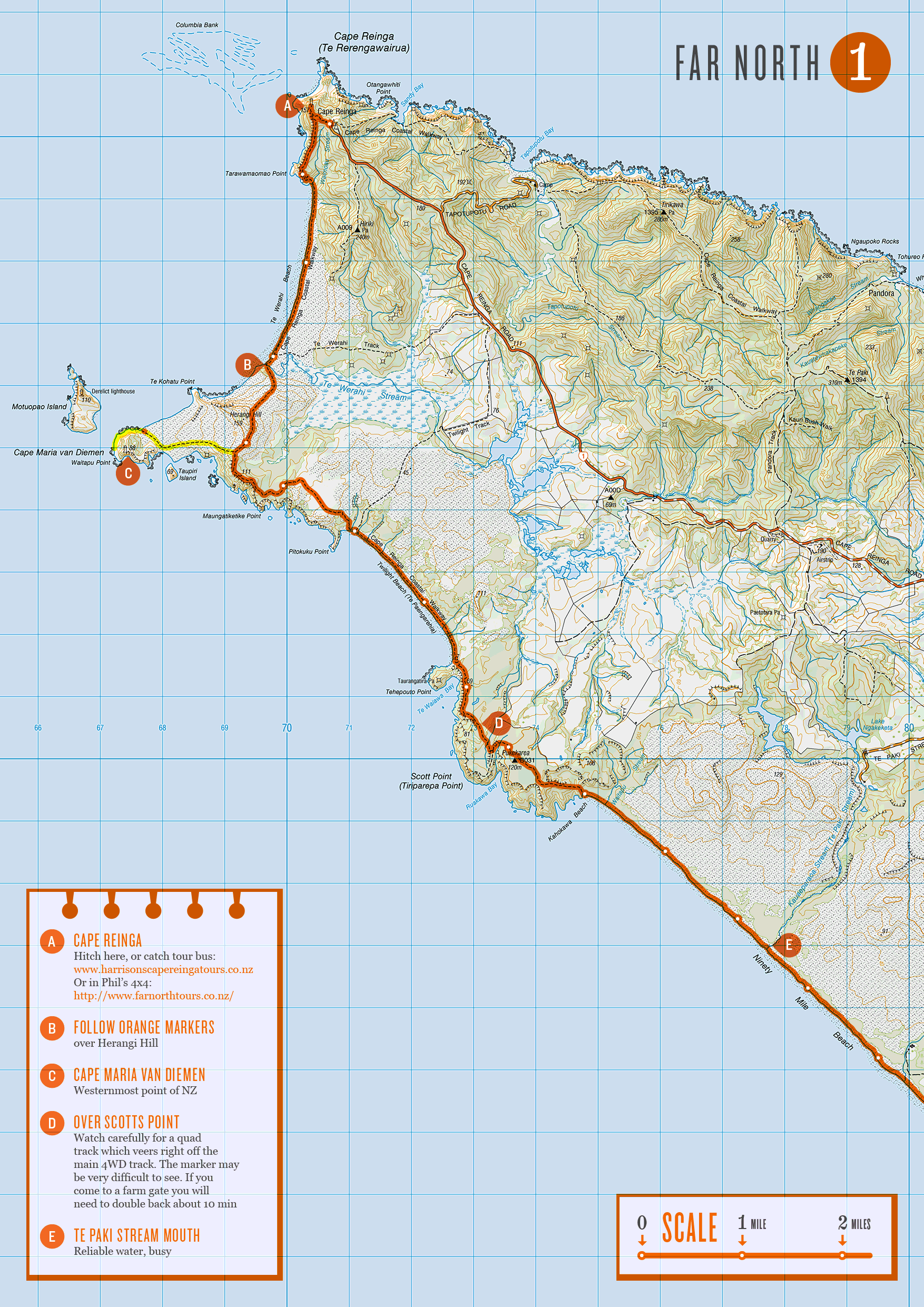
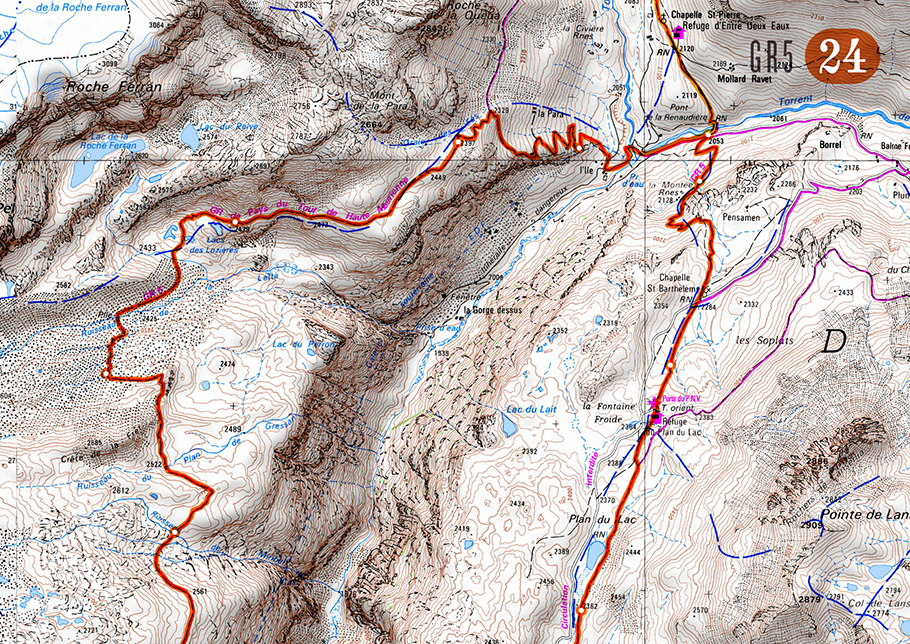
May not be of much interest to most, but if you’re planning on doing the Te Araroa trail in New Zealand, or just fancy having a closer look at what me and Nicky are going to be doing for the next 6 months, then here’s all the maps (268.4MB).

I can’t guarantee the route I’ve drawn on is accurate, the route itself is constantly changing, but also expect a fair amount of human error! If you use these maps follow your judgement and common sense, over the orange line. I didn’t get around to making all the map notes I’d of liked too.. but I’ve run out of time now and need to get on with other stuff. My plan is to check for the latest route descriptions and read people’s journals to find out info about the next section as we go and then doodle these notes onto my printed out maps. I’ve left a space on every page to be used for this purpose.

Info about the maps:

  • I made them A4 size for printing (ink-jet or laser)
  • They are all .gif format (small file size, no artifacting)
  • The route drawn on has little white dots every mile (can’t get my head round distances in KMs)
  • There’s 103 maps in total, so you’ll need 52 pieces of paper to print them all out (both sides)
  • Split into North Island and South Island folders, all numbered consecutively from north to south
  • I’ve also done a total of 57 sheets of alternate routes, more on that later..

I always enjoy the pre-walk planning and mapping stage, although I’ve never bitten off anything even remotely as complex or long as this before (CDT maps were already done by Jonathan Ley). Got to say a big thank you to Land Information New Zealand who made all the 1:50,000 scale topographic maps and hats off to you for making them all freely downloadable :) The Te Araroa Trust for building the trail in the first place and providing all the route descriptions on their site. And most importantly to Geoff Chapple who founded the trust 16 years ago and who has been spearheading it’s development ever since.

When you’re following a pre-defined route, there’s always the temptation to work out a few variations that suit you’re own preference of terrain etc. While mapping the trail I managed to rack up more than I was expecting, 57 maps worth in total! I’ve got no idea how many, if any of these we’ll do, those sort of decisions usually make themselves at the time. But if you’re interested, these can be downloaded too (164.9MB).

Word of warning though – I’ve never been to New Zealand, so have absolutely no personal experience whether these are any good or not. I think they are all probably longer and more difficult than the official route.. But they do follow the same numbering as the official route maps (just with a ‘b’ after the number) so you can see where they fit into the trail.

If anyone other than me & Nicky end up using the maps, let me know how you get on!

The letter K

The letter K

Keep calm, I’m not going to start ripping off Jessica Hische’s ever expanding and amazing Daily Drop Cap. This ‘K’ was a rejected logo concept which I was quite fond of, so I thought I’d make a one-off drop cap to give the poor fella some purpose in life.

If you’d like to use it, paste this code at the begining of your post (in HTML mode):

<img src=”http://www.made-in-england.org/images/K-cap.png” align=”left” alt=”K”/>

Weekly Desktop Part 45

Different moustache styles illustration

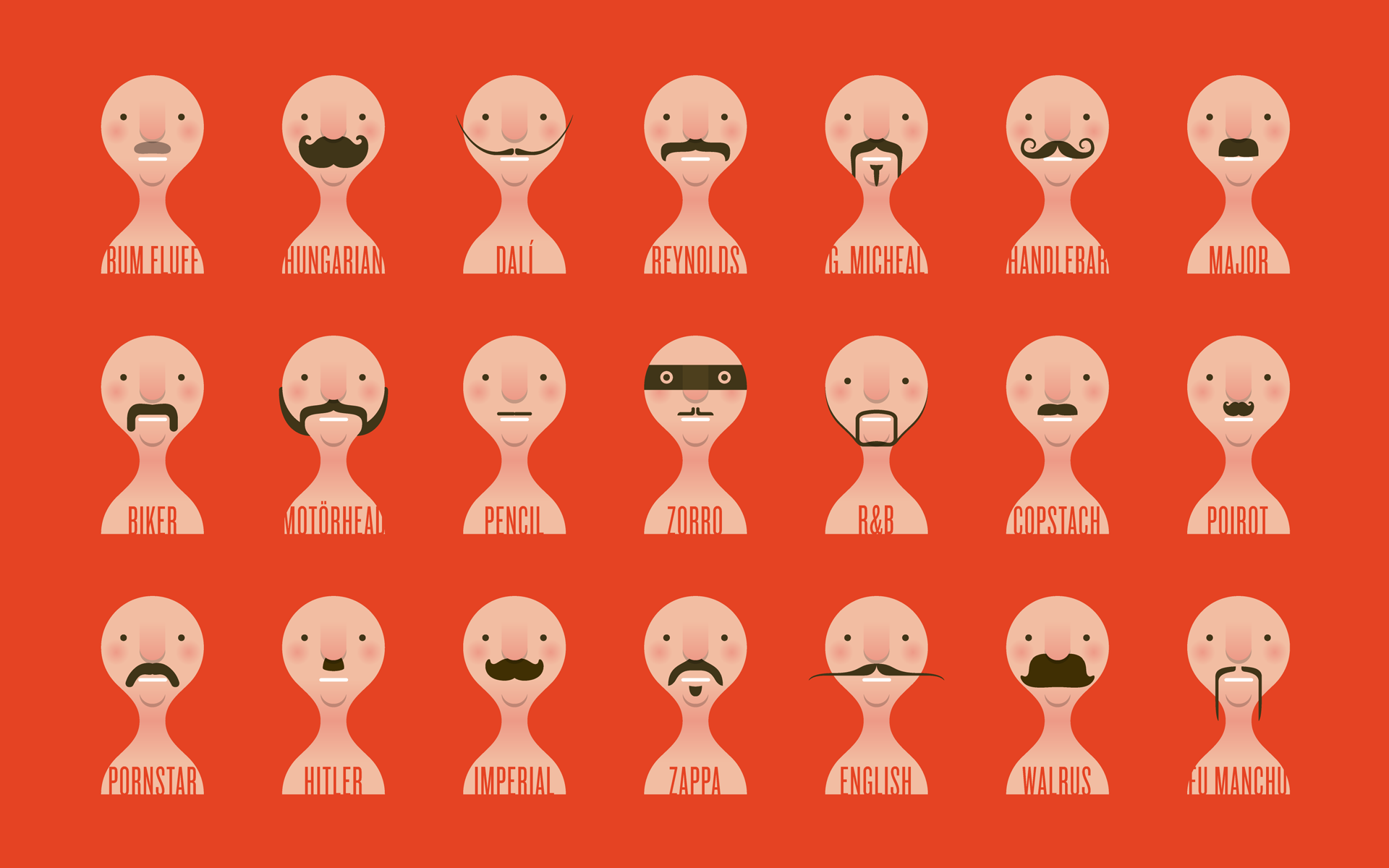
Well we’re 3 days into Movember, so here’s a summary of possible moustache styles in desktop picture format to inspire all those taking part this year. If this is the first you’ve heard of Movember then you should sign up and help change the face of men’s health.

The illustrations are actually taken from a fun Movember related site I’ve been working on, more details when it goes live… soon!

Here a close up of the Zorro tache:

Zorro moustache vector illustration

Christmas Vital Stats 2009

Christmas Vital Stats 2009

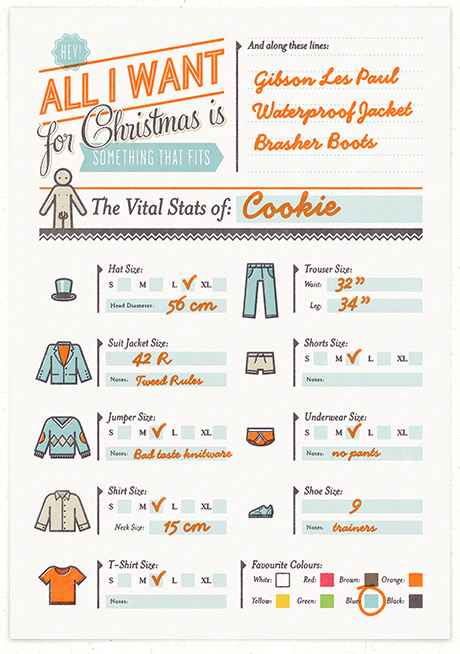
For the past few years I’ve making these ‘fill out your Vital Stats, hand it over to your partner’ Christmas cheat sheets. My attempt to solve the age old problem of buying clothes for your better half at Christmas time. It’s generally been my most popular post of the year, for the simple reason I suppose, we need them!

So basically you fill out one and give it to your partner (or whoever you’re expecting a present off), or get them to fill out one for you so you don’t blow a surprise by asking for a particular.

Here are the printable forms:

Surprise surprise each year the girls form is downloaded much than the boys, this is the sort of thing girls just remember, us blokes need a handy reminder I suppose ;)

Daily Drop Cap

Daily Drop Cap - Jessica Hische

Great new pet project Daily Drop Cap, from illustrator/typographer Jessica Hische. Each day she’s uploading a new one, best of all they’re free to use on your own blog and come supplied with the code to paste into your post. Looking forward to getting the whole set.

The problem is you have to write a fair bit of text so that the word wrapping doesn’t look too weird.

Let’s get pickled

Winter Chutney Recipe

This is a first for me, never done a recipe before, but don’t worry, Made in England isn’t going to turn into a cookery site, it’s just that I’m quite passionate about that tastey tastey chutney :)

I’ve made chutney on and off over the years, but I must say this last batch is easily the best to date. Also it’s a proper winter/Christmas chutney which needs at least a couple of months to mature, so if you’re going to eat it over Christmas/winter you’ll want to be making it now.

You’ll need (not far off the ingredients of a Christmas cake, make both!):

  • 2 Grapefruit
  • 1 Orange
  • 1 Lemon
  • 1 Lime
  • 300g Raisins
  • 500g Prunes (I used dried & without the pits)
  • 500g Figs (I used dried)
  • 2 Cooking Apples
  • 1 Stalk of Celery
  • 2 Onions
  • A bit of Red Cabbage (make the rest into pickled cabbage, yum yum)
  • 1kg Molasses or the darkest sugar you can find
  • 1l Malt Vinegar
  • Shit load of Spices (that you like). I used – ginger, chillies, garlic, mustard Seeds, citrus peel, black peppercorns, allspice, cloves, cardamom pods and cinnamon. Or you can get this sort of thing from a supermarket.
  • Brandy – I didn’t, but in retrospect I think this should probably be in there, maybe towards the end so you don’t boil off too much of the booze. Whatever, improvise!

First up you’re best making the vinegar. Spicing vinegar was a big revelation for me, I’d previously bought pre-spiced pickling vinegar, but making your own is satisfying and a smell sensation, if you’ve never had your face in front of a bubbling pot of vinegar and spices, you should, it’s quite an overwhelming experience. Put your litre of malt vinegar in a pan and add all your spices. You can put them in a muslin bag if you like, or just pour everything through a sieve into another pan at the end. Heat it up and simmer away for 15 min or so, let it cool down then get rid of the spices.

Next cut a bit of the citrus fruit peel off (trying not to get too much pith) and slice it into strips like marmalade, stick it in a pan. Cut the rest of the peel/pith off the grapefruit & orange, chop into bits and blend it to a pulp in a mixer or just stick in the pan if you don’t have one (it’ll soon get mushed up). Juice the lemon & lime and stick those in the pan.

Should look something like this:
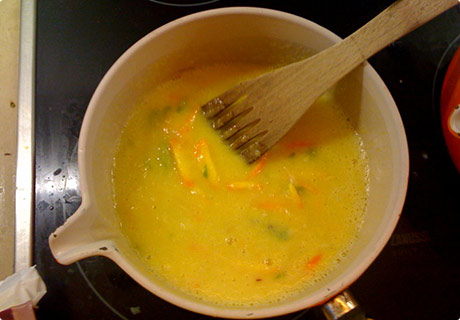
Chop apples (personally I can’t be arsed to peel them them), celery, onion and stick them in with the juices. If you’ve got dried figs and prunes like me, just give them a quick chop into smaller bits and stick them in the pan along with the raisins. Otherwise you might need to take the pits out of the prunes or something?

By this point you might realise that there’s way too much stuff in your pan (remember you haven’t put any vinegar or sugar in yet), I had to divide everything into 2 more pans. Pour in the spiced vinegar and wack on the heat.

Should look something like this:
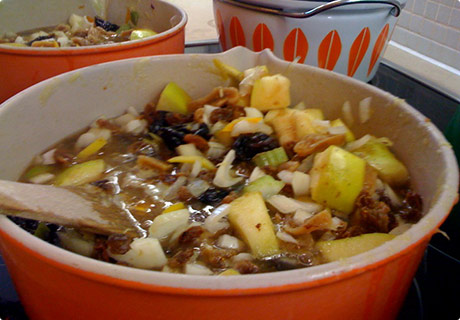
Chutney chopped up in the pan

Your going to want to simmer that away until everything is soft and squishy, I think I had it going for at least an hour, but I wasn’t timing.. I thought it was looking a bit dry so added a bit more vinegar, but that was probably a mistake. When it looks pretty much like chutney you want to put the sugar in. The colour will change too an amazing rich dark brown, once all the sugar’s dissolved you crank up the heat and get a rolling boil going (prime sticking to the bottom of the pan time, so keep stirring).

I noticed that the addition of sugar made the chutney seem more runny, felt because I’d added more vinegar it now needed more veg to soak it up so I had the brainwave to stick some of the red cabbage I was dry-brining (dry-brining means covering the chopped cabbage in shit loads of coarse sea salt and leaving it overnight) for some pickled cabbage I was making later in the day.

Looks much like this:

dry-brining red cabbage

So I rinsed some off and stuck that into the mix. I really liked the dark brown and purple colours mixed, would highly recommend this late addition.

Now it looks like this:
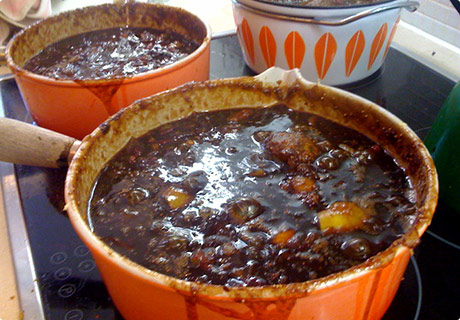
Chutney Cooking

So now all you have to do is reduce it down until it looks pretty much like chutney consistency (maybe another hour, still wasn’t timing), it’ll thicken up a bit once you put it in the pots, so leave it a bit on the runny side.

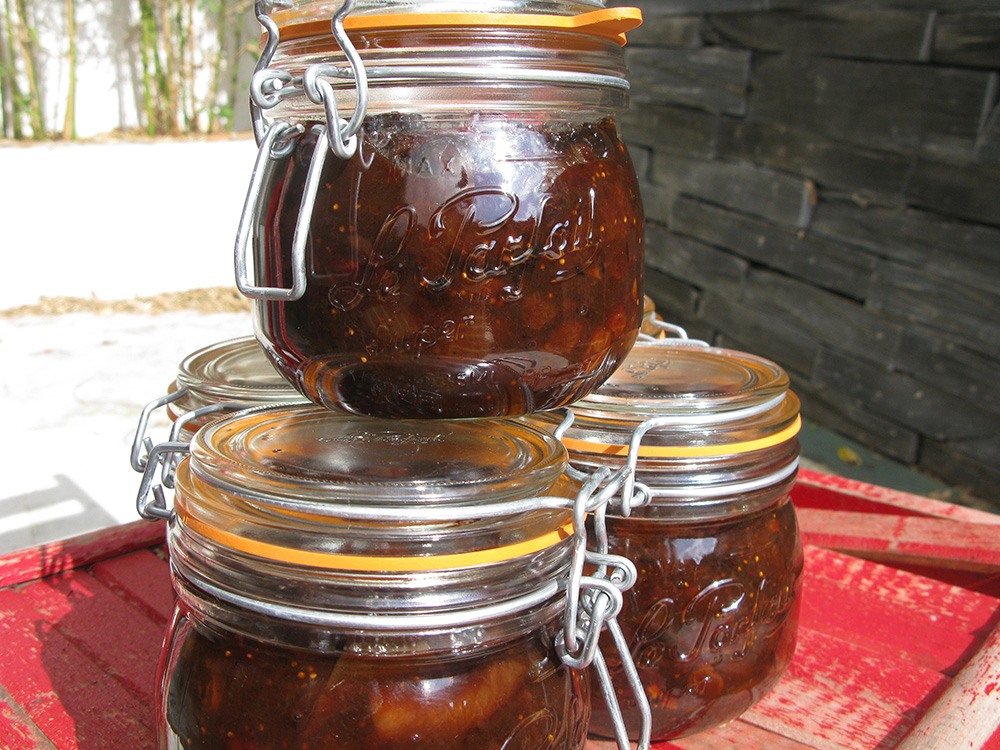
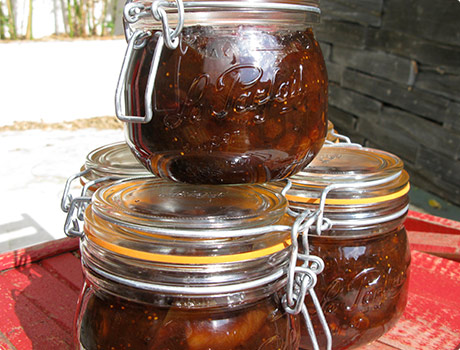
In the meantime stick your jars in the oven, I set it to 120 degrees, and stick the rubber seals (if your jars have them) in some boiling water. Essentially sterilise them. This amount of ingredients filled five an a half 500g jars for me.

When you think it’s time, spoon the chutney in the jars, seal them up and put them in the cupboard for at least a couple of months. Once cooled, I actually put them in the fridge for day or two to ‘set them’, no idea if that’s what you should do, just felt like that’s what you do with jam? I started eating the half jar you always end up with straight away, even though it’s not matured I could tell, this is going to be a friggin’ awesome batch of chutney :)

Note on jars:

We had some of those flip top jars from Ikea but they were garbage, not even a water tight seal.. We’re now using 500ml Le Parfait jars and they’re infinitely better and not really much more expensive – £13.99 for a six pack from Lakeland (£2.30 each).

Well that’s definitely one of the longest blog posts I’ve ever written, I hope at least one of you makes some damn chutney and invites me round to taste it :)

Chutney not your thing? Check out some marmalade we’ve been making, nicky might let you in on the secret recipe ;)

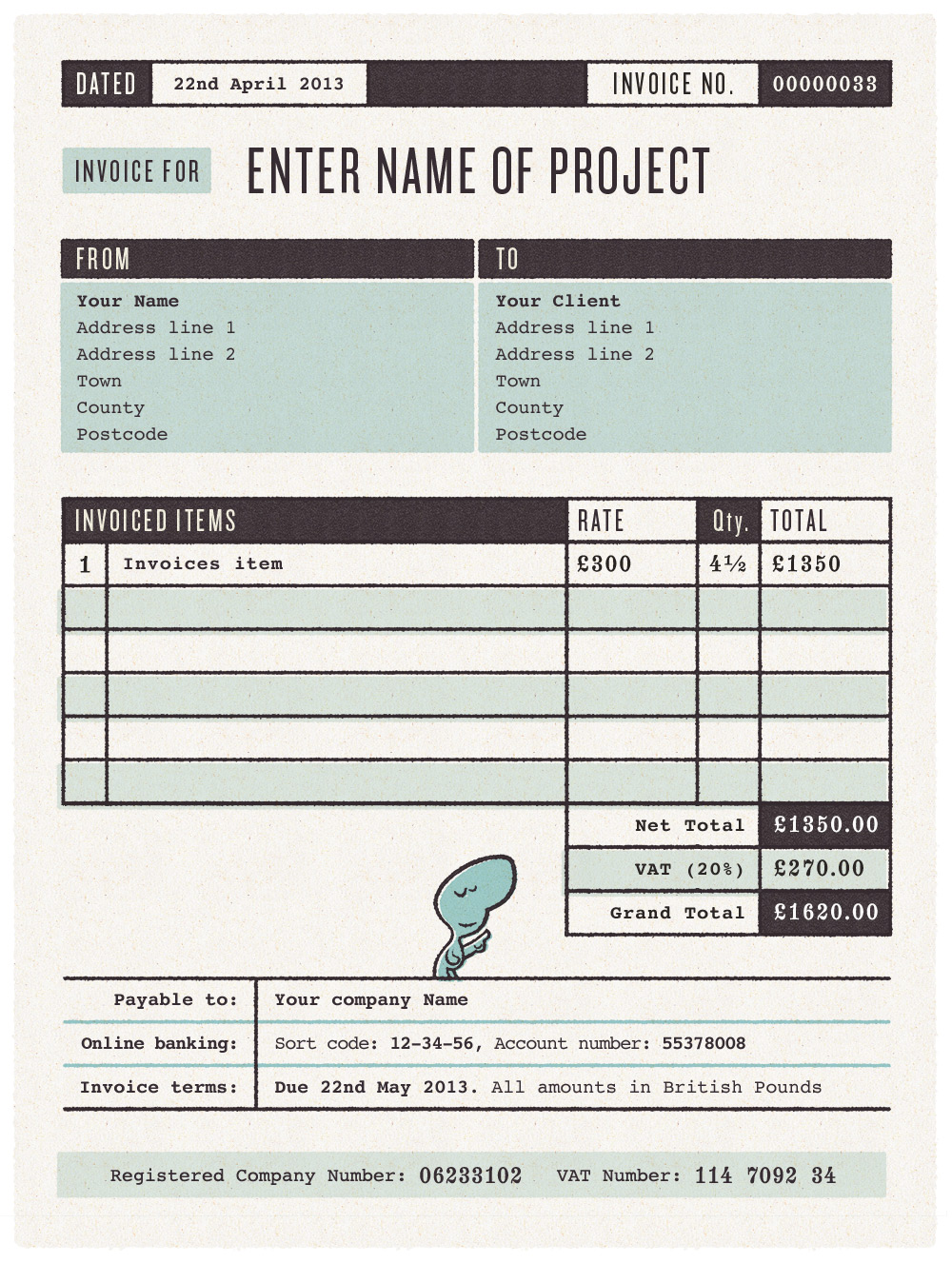
Invoice Template

Free Invoice Template for designers & Illustrators

I made a new invoice template today, my Dad told me I should be putting invoice numbers on them.. so it needed updating. Anyhow if you google invoice template you get a load of garbage, thought I’d upload mine, might be of use to someone.

Basically it’s a Photoshop file, which you can download here. All the coloured shapes are just masked off flat colours so it should be pretty simple to change the colour scheme, stick a you’re own logo in etc. All the text is editable, although if you don’t want to change the fonts, you’ll need Knockout, Phaeton & Numbers Indicia.

If I’ve made any massive invoice faux pas, please let me know!

More goodies.

Weekly Desktop Part 42

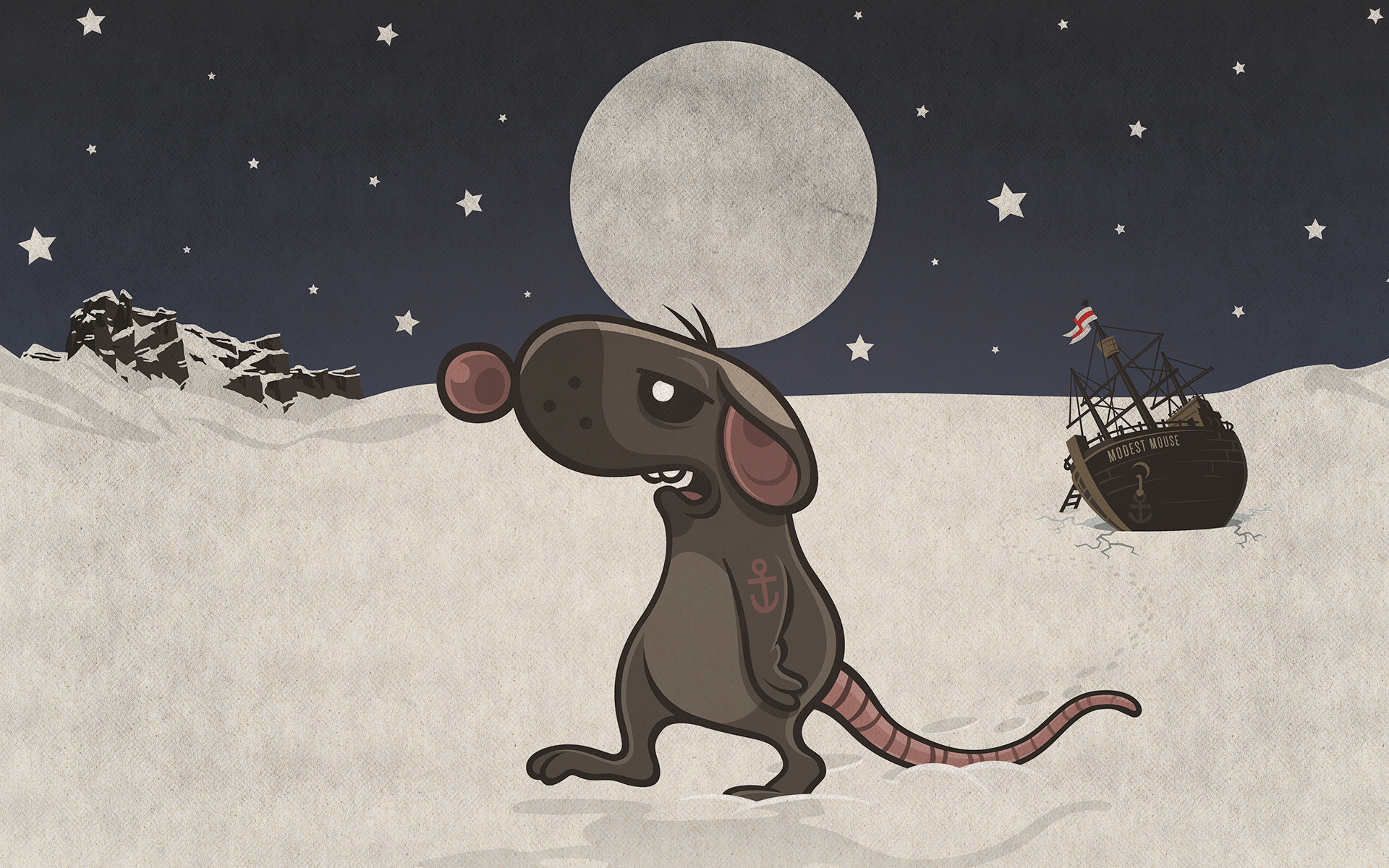
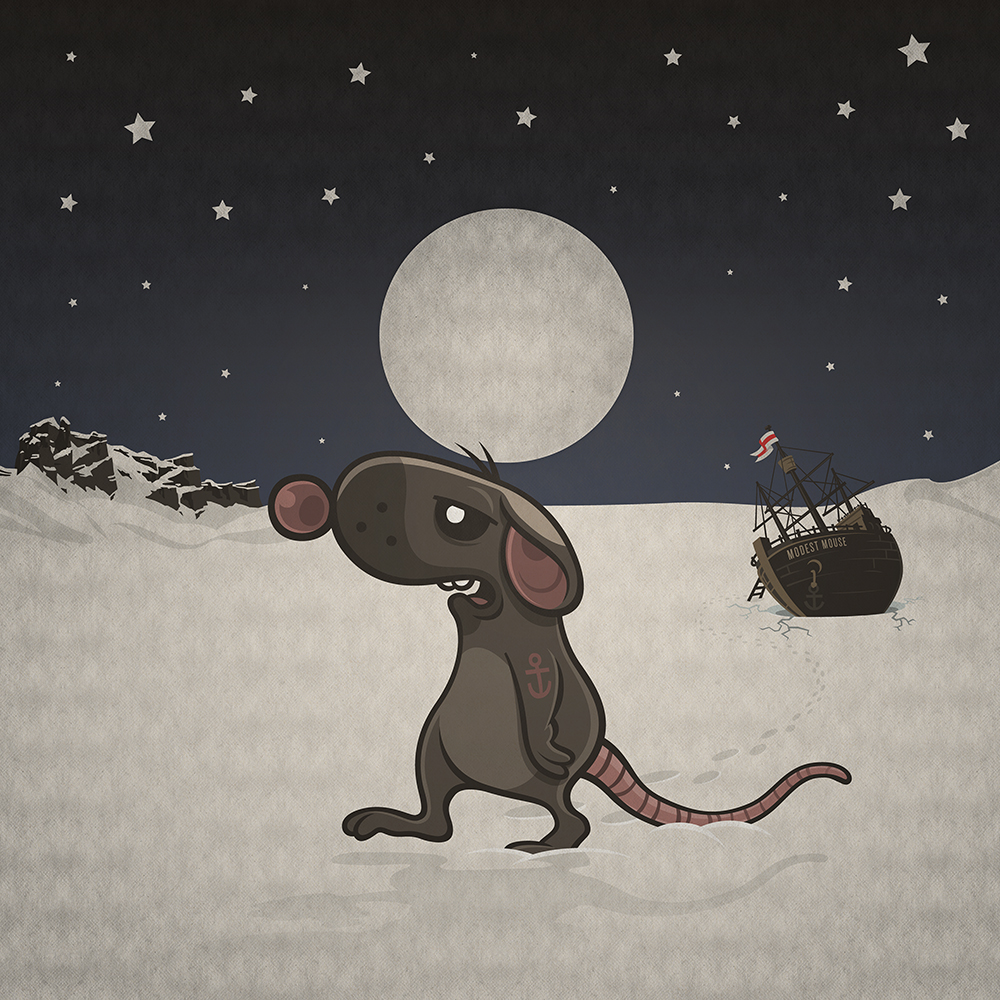
Cartoon Rat deserting sinking ship trapped in the ice

Feels like an age since I last did any drawing, well luckily the beer making Beck’s came to my rescue and commissioned me to reinterpret a famous album for their Cover Story project. I had to pick one from Pitchfork’s top 100 albums of the past 4 decades, my favourite album Moon & Antarctica by Modest Mouse was on there, so it was a easy decision.

Sadly my Reserved Rat won’t be seeing the light of day because it’s apparently too attractive to kiddies for booze related branding.. Well worry not, that means you can download it and have it on your desktop instead :)

My favourite album was Rex’s cover of the Beatles – Let It Be. Modern Toss made quite a corker too. You can see all of them here.

I’m not blown away Modest Mouse’s album artwork, so if you’d like to update your iTunes artwork (like I did) then best use this square version here.

Background paper textures

Free background paper textures

While I was doing my Cargo Collective folio I decided to make a new repeating background gif. Originally I really wanted to have a really bright colourful background, break from the mold of ether black (ish) & white (ish). After much experimenting and playing around, I just couldn’t find a colour that didn’t clash with my work – problem with a colourful image heavy site, so I ended up plumbing for white (ish)

The good news though – I thought I’d post all the rejects here, maybe they’ll be of use to some of my readers :) There’s 2 sets of files for you to download, the gifs are ready to roll, just upload them and insert the link into your html. But I’ve also included a set of Photoshop files, the texture’s just a mask so you can quickly & easily change the colour just by paint bucketing the layer. Note – there’s a second darker layer underneath, you’ll want to change this accordingly with your top layer. They’re all 150 x 150, so not too big file size, have a play around and I hope you find them useful.

Weekly Desktop Part 39

Monster Desktop Wallpaper

Iusually start my posts about weekly desktops by apologising for the missing my weekly target, well this is no different, I’ve not posted a desktop since April! This Monster Desktop isn’t knew though, I found it randomly on my hard disk yesterday, makes a pretty cool desktop though ;) Download it here »

Who’s the Drunkest?

Who's the Drunkest? drinking game scorecard

Tomorrow is my last day at Poke and my last evening in England for the next 6 months or so… I like to leave in style, so I’ve planned a bit of a farewell drinking competition for tomorrow evening :)

Basically I’ve stripped down the much loved pastime of drinking into it’s 5 main skill groups – Buying booze, carrying booze, drinking booze, being pissed & getting the Drunkest. When all the scores are added up at the end of the evening, we’ll find out – Who’s the drunkest?

If the prospect of that wasn’t thrilling enough, the prize for the winner is custodial care of my personal pint mug which Pete keeps behind the bar of the Owl & Pussycat for me. It generates much envy from fellow patrons each week, and could almost certainly ‘get you laid’ ;)

If you want to see me off, I’ll be at the Owl & Pussycat on Redchurch Street from about 6pm. If you want to compete for the prize, or just for fun – download the score sheet here, print it out and bring it along with you. If you want to rehash the game for yourself, feel free to download the original Illustrator file here.

Weekly Desktop Part 38

Cartoon band crank

I‘ve finished drawing all the Crank band members and have made a desktop of them rocking out. You get it in Green, Blue, Yellow or Orange, hope you like it. Remember you can also get each character individually here. I’m really enjoying doing all this Poke band stuff, mainly because it’s all nonsense and just a bit of fun, refreshing change to the world of corporate web design!

Hopefully I’ll have time to finish the comic book story of Professor Crankingstein and his monster cock and how that led to the bands creation! More soon…

Blue:

Cartoon band crank

Yellow:

Yellow cartoon band crank

Orange:

Orange cartoon band, crank

King Cookie

playing card, king Cookie

This is something I’ve been meaning to do for a long long time but never got round to – Illustrate myself as a playing card! Before I started I had a quick look on the web to see if anyone had a vector playing card templates I could edit, couldn’t find any… I’m sure it’d be a fairy handy thing for folk, so I’ve uploaded the illustrator file of my version of the King for you to download and use as you please. I’ll try and get round to finishing the rest of the deck at some point, but don’t hold your breath!

Printed on paper tutorial

Here’s a quick tutorial showing how to make your illustration/graphics look like they’re printed. This is pretty much the same as the first tutorial, only we’ll be using different textures for the image than the background. For this example I’m re-creating my Cookie’s Plonk desktop wallpaper.

texture tutorial

This is our starting point, check here to download the Photoshop file I’ve used.

texture tutorial

1. Create a layer mask. Open the image you want to look printed. If you want you can download the image I’ve used here. Click the mask button on the bottom of the layer panel (1).

texture tutorial

2. Add some paper texture. If you’re using my photoshop file, select the Textured Paper layer and copy it. Then re-select the image layer and click the channels tab (1). Select the bottom layer (alpha channel) and paste in the texture (2).

texture tutorial

Return to the layers tab, and click the image layer. You can see above that the flat colour illustration now has the texture of the paper.
texture tutorial

3. Add some wear & tear. To make it look a bit more realistic you might want to add some extra wear and tear. First you need to apply the first mask, select from the menu Layer > Layer Mask > Apply. Then repeat step 2 but use the dirty paper layer instead of textured paper this time.

The finished image:

texture tutorial

Here’s the finished image! If you quickly scroll up and quickly compare it to the starting point – it’s good at taking the edge off crisp vector graphics, making them look warmer, friendlier & more real I think.